Flex Builder 3代码格式化方
发布时间:2019-07-12 10:02:51编辑:auto阅读(2065)
Flex Builder的最新版本已经到了4.5,可是代码格式化工具并没有集成在安装版本中,需要通过其他途径来实现。
下面提供一个安装插件的方法实现Flex代码格式化:
1. 点击菜单中的 Help-> Software Updates-> Find and Instal...
2. 选中单选框: Search for new features to install
3. Next
4. 点击 New Remote Site
5. 输入 Name:FlexFormatter
URL:http://flexformatter.googlecode.com/svn/trunk/FlexFormatter/FlexPrettyPrintCommandUpdateSite
点击OK并Finish
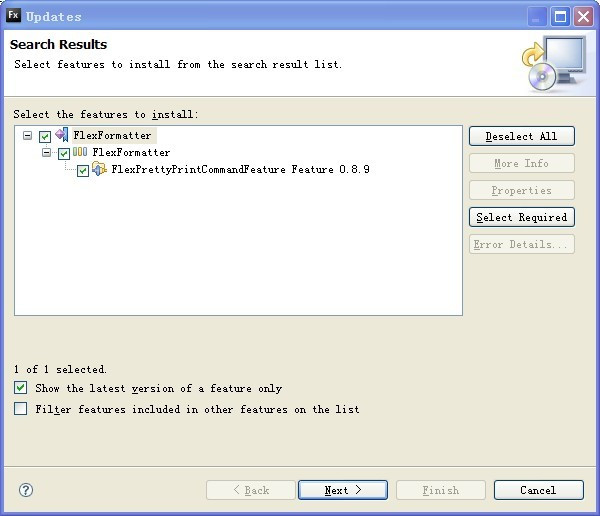
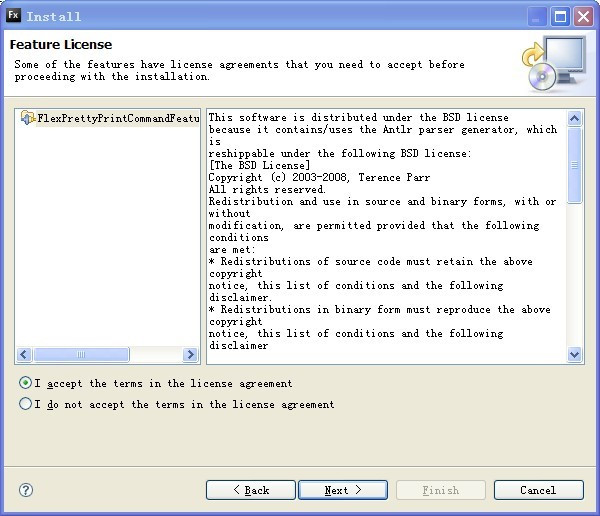
6. 看到上图继续NEXT,选中“I accept the terms in the license agreement”后Next并Finish,等待更新结束
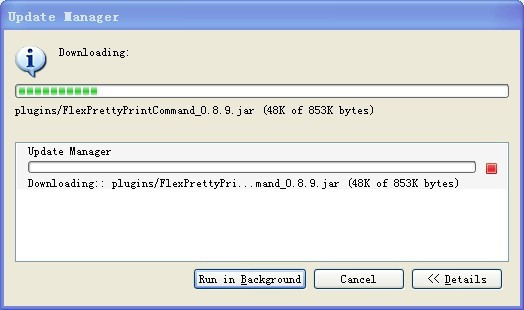
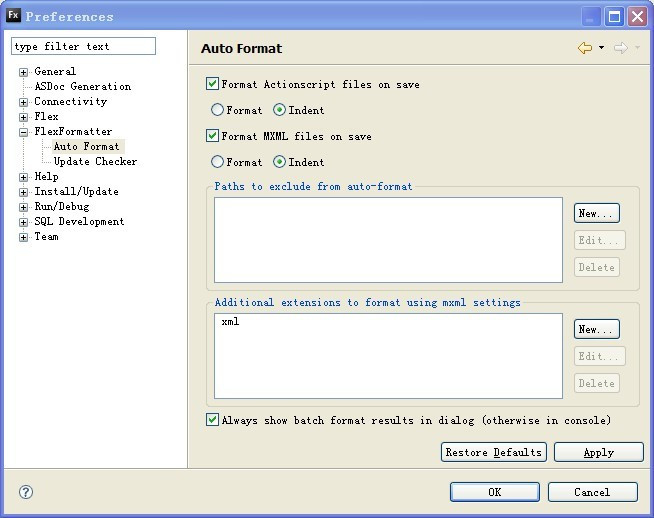
7. 进入Window--Proferences--FlexFormatter—Auto Format设置如下,那么在你保存的时候,就会自动进行格式化了。
结束。
上一篇: h3c_nat附加相关视频
下一篇: 车载3G无线共享方案
- openvpn linux客户端使用
52027
- H3C基本命令大全
51881
- openvpn windows客户端使用
42119
- H3C IRF原理及 配置
38967
- Python exit()函数
33467
- openvpn mac客户端使用
30419
- python全系列官方中文文档
29045
- python 获取网卡实时流量
24078
- 1.常用turtle功能函数
23995
- python 获取Linux和Windows硬件信息
22341
- LangChain1.0-Agent-部署/上线(开发人员必备)
43°
- LangChain1.0-Agent-Spider实战(爬虫函数替代API接口)
90°
- LangChain1.0-Agent(进阶)本地模型+Playwright实现网页自动化操作
116°
- LangChain1.0-Agent记忆管理
108°
- LangChain1.0-Agent接入自定义工具与React循环
124°
- LangChain1.0-Agent开发流程
115°
- LangChain1.0调用vllm本地部署qwen模型
140°
- LangChain-1.0入门实践-搭建流式响应的多轮问答机器人
160°
- LangChain-1.0入门实战-1
161°
- LangChain-1.0教程-(介绍,模型接入)
165°
- 姓名:Run
- 职业:谜
- 邮箱:383697894@qq.com
- 定位:上海 · 松江